An AI knowledge management agent with zettelkasten-powered retrieval, a document approval workflow, skills support, and optional web search — built on the Snowflake Cortex Agent API
Nanocortex Web Agent is open source: github.com/sfc-gh-kkeller/nanocortex-web-agent
Nanocortex Web Agent is an AI knowledge management agent with a web interface. You give it structured knowledge — domain facts written in a zettelkasten-formatted .knowledge.md format — and it answers questions, produces workspace documents, and routes them through a human review and approval workflow. Optional web search, a skills system for shaping agent behavior, and an admin dashboard for operational control round out the application.
The knowledge layer is powered by the zettelkasten-memory plugin. Each knowledge entry becomes a node in a semantic graph: explicit connects-to links define relationships between concepts, and semantic similarity auto-links entries that are related but not yet explicitly connected. Retrieval is ranked by a composite score of semantic similarity, importance, recency, and graph connectivity — so well-connected, important knowledge surfaces first, not just the most literally similar fragment.
The AI backbone is the Snowflake Cortex Agent API: streaming SSE responses, thinking mode, adaptive effort, and multi-step tool orchestration. Storage runs on Snowflake or PostgreSQL, switchable by config.
This article walks through how it is built and why the architectural decisions matter.
What This Project Is#
Nanocortex Web Agent is the natural next step after Nanocortex — the minimal single-file CLI that demonstrated the raw Cortex Agent API mechanics. The CLI proved the loop. The web agent proves the application.
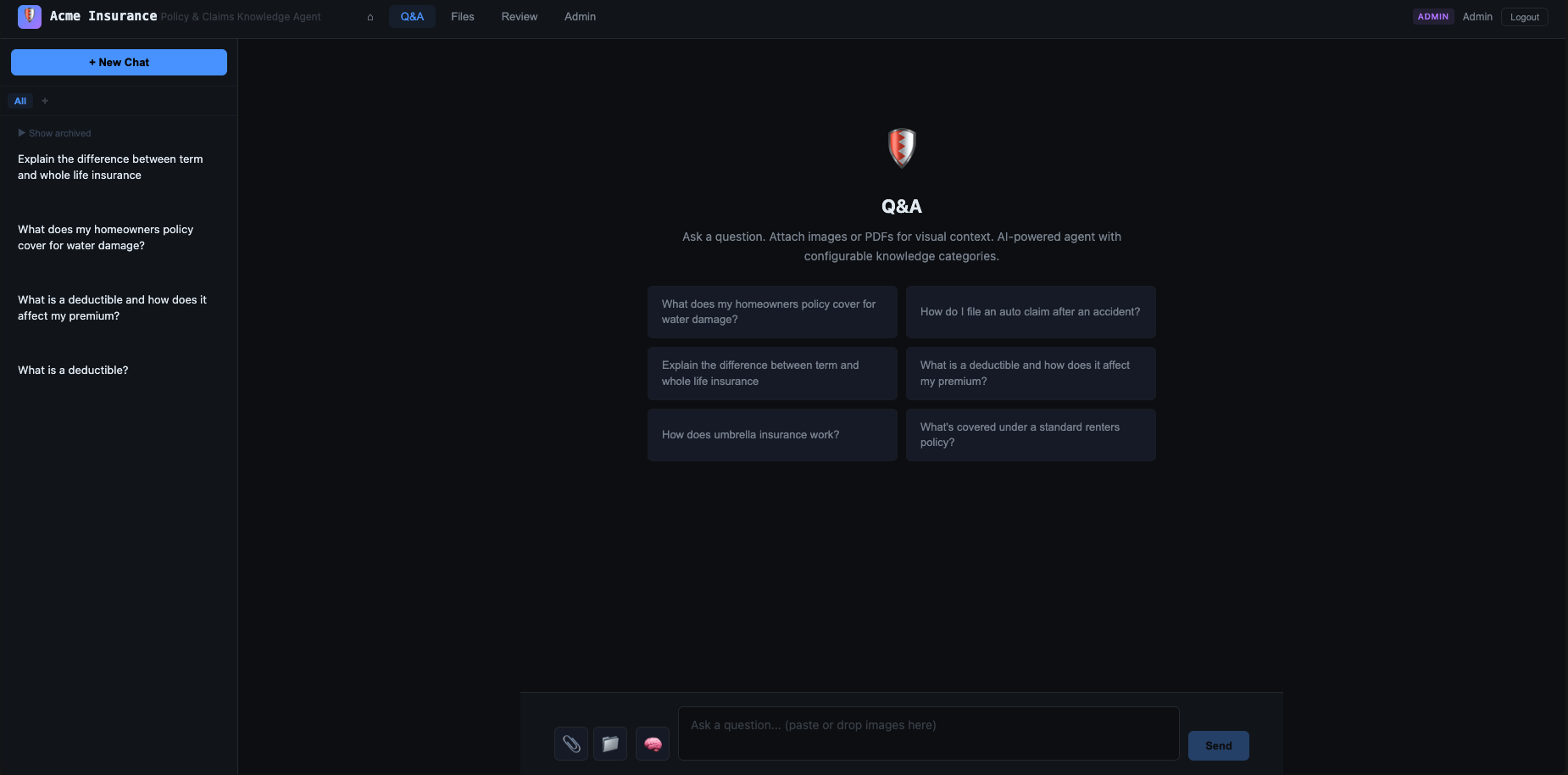
The demo is configured as an Acme Insurance knowledge management agent: policy Q&A, claims guidance, underwriting references. The architecture is deliberately domain-agnostic — every element (skills, knowledge files, topics, system prompts) is swappable without touching code. The insurance domain is a concrete, relatable example that exercises the full feature set.
Business Problems This Showcases#
Domain knowledge Q&A at scale. Any organization where staff need consistent, accurate answers from a large document corpus — insurance policies, legal contracts, IT runbooks, HR procedures. The zettelkasten graph means related concepts surface together: ask about a deductible and the agent also surfaces coinsurance, out-of-pocket maximums, and the relevant claims workflow, because the knowledge graph connects them.
Regulated content approval. Industries where AI-generated content needs human sign-off before it circulates — compliance, finance, healthcare. The Draft → In Review → Approved pipeline makes this a built-in workflow rather than something handled externally.
Knowledge lifecycle management. Asset reuse analytics show which knowledge is actually being referenced and which responses are being flagged, giving content owners a direct feedback loop for keeping the knowledge base accurate. High reuse on a section signals it is worth expanding; flags on a topic signal where the knowledge needs work.
Agent behavior without deployments. Product and operations teams that need to tune the agent’s persona, skills, tools, or model without involving engineering. Model selection, system prompt editing, web search toggle, and knowledge re-indexing all happen from the admin dashboard.
Domain-agnostic starting point. Swap the insurance knowledge files and skills for legal research, internal IT support, HR, or financial analysis — the approval workflow, graph retrieval, admin controls, and analytics carry over unchanged.
The Architecture at a Glance#
┌─────────────────────────────────────────────────────────────────┐
│                         Browser                                  │
├─────────────────────────────────────────────────────────────────┤
│  Frontend (Preact + Vite)         │  Backend (FastAPI)           │
│  Streaming chat, admin UI,        │  SSE streaming, async        │
│  knowledge graph, workspace       │  tool execution, skills      │
├──────────────────────────────────┬──────────────────────────────┤
│  Snowflake or PostgreSQL (DB)    │  Cortex Agent API            │
│  Sessions, assets, embeddings,   │  Inference, web search,      │
│  knowledge graph persistence     │  thinking, tool use          │
└──────────────────────────────────┴──────────────────────────────┘
The backend is FastAPI with async throughout — ideal for streaming SSE to multiple concurrent clients. The frontend is Preact with Vite — fast builds, lightweight, straightforward component model.
Storage is dual-mode: Snowflake-as-database for teams that want everything in one place, or PostgreSQL with pgvector for local development and self-hosted deployments. In the PostgreSQL path, Cortex handles inference and embeddings while everything else runs locally.
The Cortex Agent API Integration#
The heart of the backend is a full-featured Cortex streaming client at backend/app/services/llm/cortex.py.
async for event in agent.stream(messages, system_prompt):
    match event.event_type:
        case "text":        # Token-by-token response
        case "thinking":    # Model reasoning (when enabled)
        case "tool_use":    # Web search or other tool calls
        case "tool_result": # Tool execution results fed back
        case "done":        # Final response complete
Text events flow directly to the browser via SSE. Thinking events go to a separate collapsible panel in the UI — the user can see the model reason in real time. Tool use events trigger the async execution loop server-side, where multiple tool calls can be in-flight simultaneously.
The client exercises a full range of Cortex Agent API features:
- UseAdaptiveThinking — configurable per-session from low to high effort, surfaced in the Admin UI
- Multi-step orchestration — the agent loops through tool calls automatically; the backend owns the loop
- Web search tool — togglable from the admin panel without restarting the server
- Model selection — Claude Sonnet and Opus 4.x, routed through Cortex’s model layer
Knowledge Files: Structured Domain Facts#
A core architectural decision is the strict separation between two concepts:
- Skills — behavioral instructions that tell the agent how to act
- Knowledge — domain facts that tell the agent what to know
Skills are .md files in skills/ injected into the system prompt at runtime. Knowledge is structured .knowledge.md files in knowledge/ indexed into a zettelkasten-style graph.
A knowledge file looks like this:
# Knowledge: Policy Terms

---
domain: knowledge-agent
relates-to: [insurance-lines, claims-process]
---

## Entry: Deductible

```yaml
id: deductible-definition
importance: 0.95
tags: [deductible, premium, cost-sharing]
connects-to: [premium-definition, coinsurance-definition, claims-fnol]
A deductible is the amount the policyholder pays out-of-pocket before insurance coverage begins. It resets annually…
Each `## Entry:` block becomes one node in the knowledge graph. The `connects-to` field creates explicit edges — a structured graph with traversable relationships between concepts. When the agent retrieves relevant knowledge, it follows edges to related concepts rather than surfacing isolated fragments.
At query time, the backend runs semantic search (via Snowflake Arctic embeddings or pgvector) to find the most relevant entries, then injects them into the system prompt before the Cortex API call.
---
## The Knowledge Graph Visualization
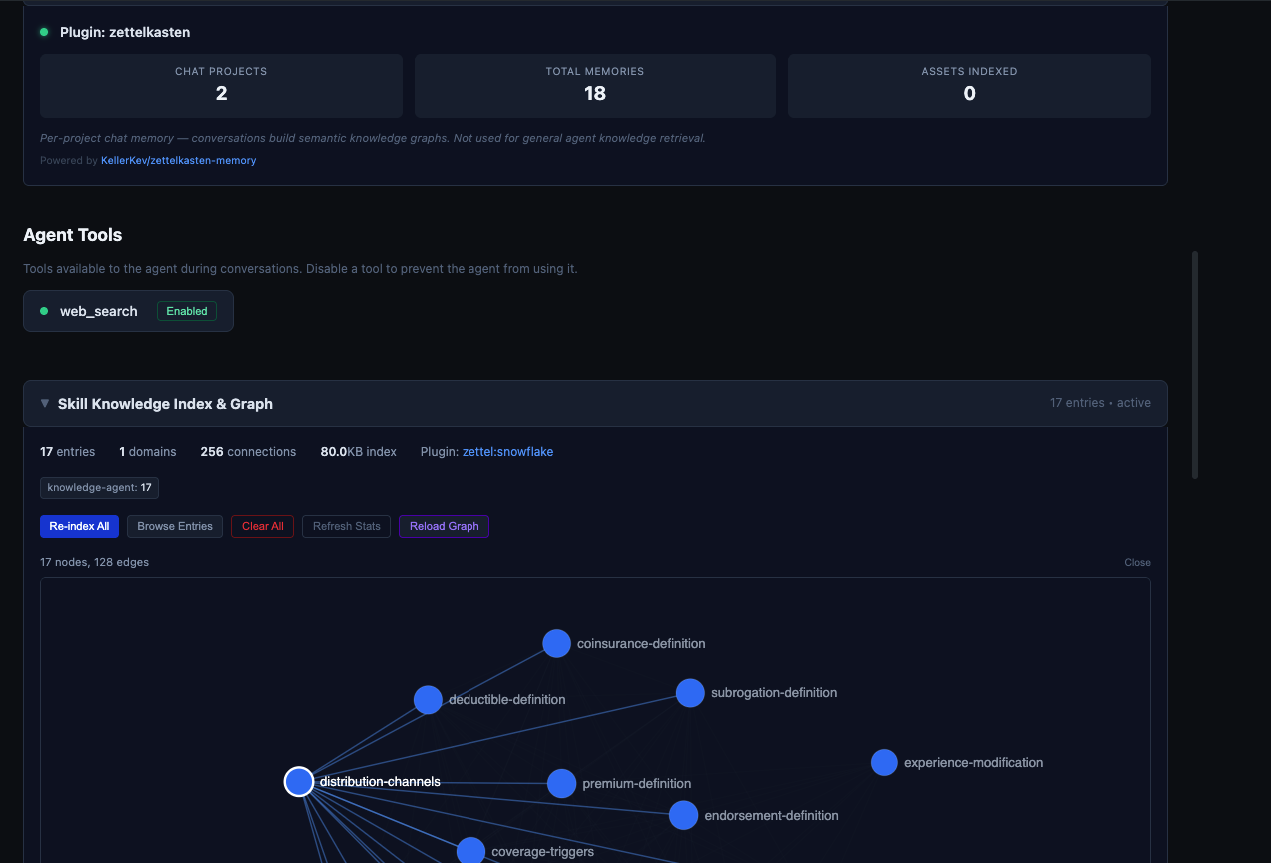
The knowledge graph is a first-class UI feature. Users can open a force-directed visualization showing all indexed knowledge nodes and their connections, with zoom, pan, and hover details.
The graph reveals structure at a glance: which concepts are highly connected, which sit in dense clusters, and how subgraphs (like claims and underwriting) relate to each other. It also shows real-time agent tool status and chat memory indicators — which knowledge the current session has activated.
---
## Workspace Documents and the Review Pipeline
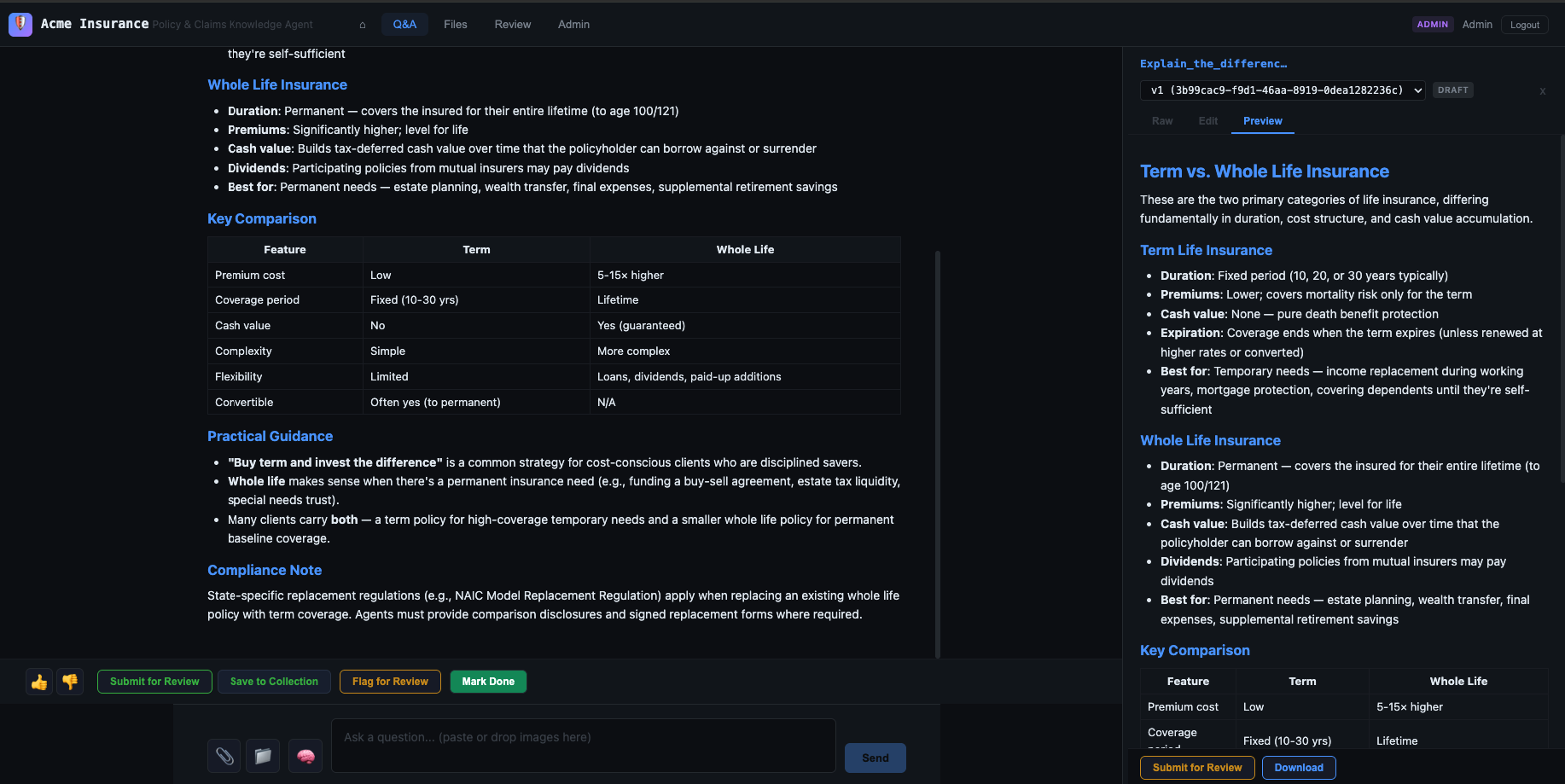
Every agent response that produces substantive content automatically creates a **workspace document** — an editable markdown artifact stored in the database. Responses are persistent, versioned, reviewable assets.
The review pipeline stages documents through:Draft → In Review → Approved
Reviewers can be assigned, comments added, and versions tracked. When an agent produces a policy interpretation or claims guidance document, a human expert can review and approve it before it circulates. The pipeline makes that workflow explicit.
Asset reuse is also tracked — when the same underlying content appears across multiple agent responses, the analytics surface the reuse rate. High reuse on a particular knowledge entry signals it is worth expanding.
---
## The Admin Dashboard
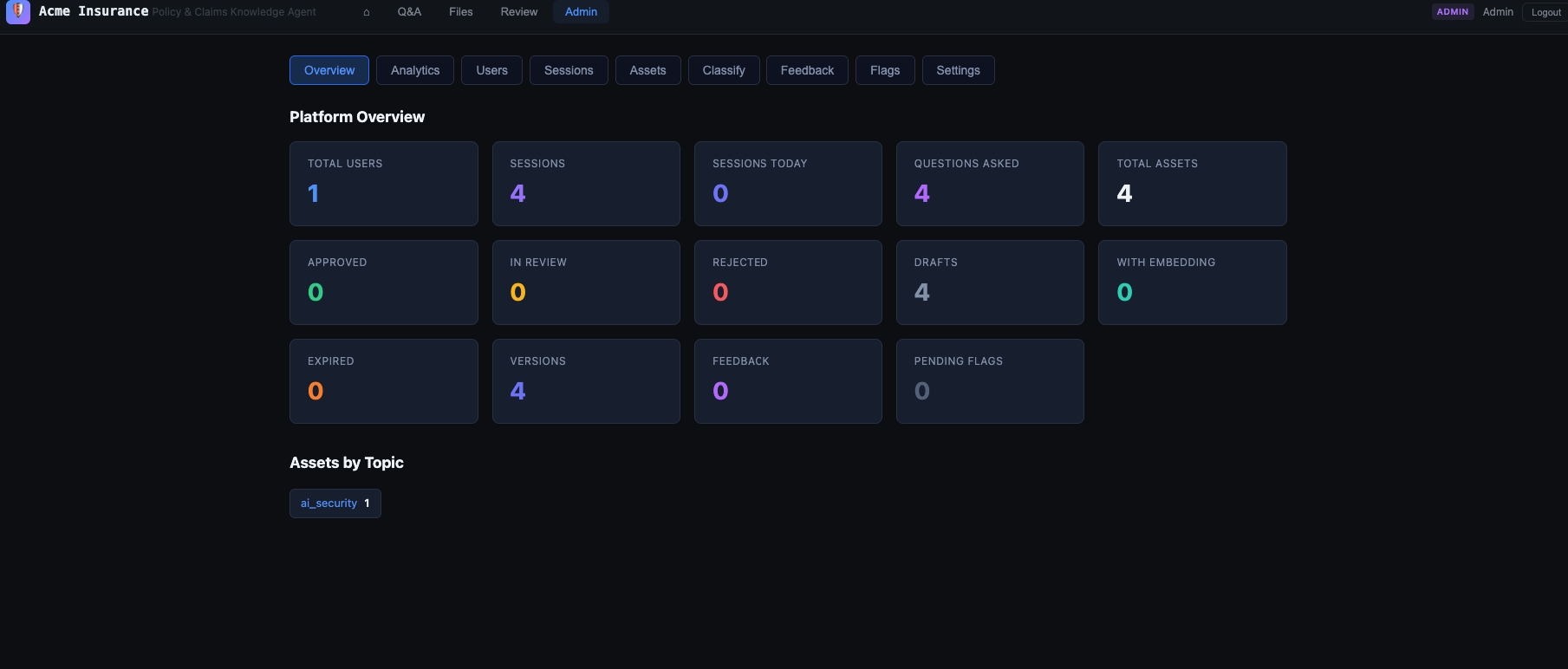
Nanocortex Web Agent's admin dashboard provides **operational control without code changes**:
- **Model and provider selection** — switch between Claude Sonnet and Opus, toggle thinking effort, without restarting
- **System prompt and skill configuration** — edit mandatory skills, reflection prompts, wizard instructions
- **Tool controls** — enable or disable web search per-deployment
- **Knowledge management** — ingest, re-index, or remove knowledge files
- **User management** — roles, permissions, session history
The admin UI uses conditional fields that show only what is relevant to the selected provider.
All configuration lives in the database. On startup, the app reads its configuration from the database and caches it. The admin dashboard writes to the database. Most configuration changes take effect immediately.
---
## Authentication: Dev and Production Modes
**Development mode**: password login. `admin@acme-insurance.demo` / `admin123`. Simple, zero setup, running immediately.
**Production mode**: magic link (email) and **WebAuthn passkeys**. Users register a passkey (fingerprint, face, hardware key) and authenticate without a password — right for knowledge management applications handling sensitive information.
The switch is a single config flag.
---
## First Launch
```bash
git clone https://github.com/sfc-gh-kkeller/nanocortex-web-agent.git
cd nanocortex-web-agent
pip install -r requirements.txt
cp config/config.toml.sample config/config.toml
# edit config.toml with your Snowflake credentials
uvicorn backend.app.main:app --host 0.0.0.0 --port 9010 &
cd frontend && npx vite --host 0.0.0.0 --port 9011On first launch with dev_mode = true, the app seeds itself automatically:
- Creates all 17+ database tables (Snowflake or PostgreSQL)
- Seeds the admin user
- Loads 10 insurance topics
- Indexes all skill and knowledge files into the zettelkasten graph
- Configures sample quick-start questions in the chat UI
Open the browser, log in, start asking questions. The zettelkasten graph is live, the knowledge is indexed, the sample questions are there.
Dual Database Backend#
Snowflake — recommended for production. Tables, sessions, assets, embeddings, knowledge graph nodes and edges all live in Snowflake. Cortex handles both inference and embedding generation. One platform, one bill, zero infrastructure to manage.
PostgreSQL with pgvector — for local development or self-hosted deployments. The pgvector extension handles vector similarity search. Cortex is used for inference; everything else runs locally.
The backend uses a repository pattern: all database calls go through an abstraction layer that routes to either the Snowflake or Postgres implementation based on the database.backend config value. Adding a third backend is a matter of implementing the interface.
Session Analytics#
The analytics surface tracks:
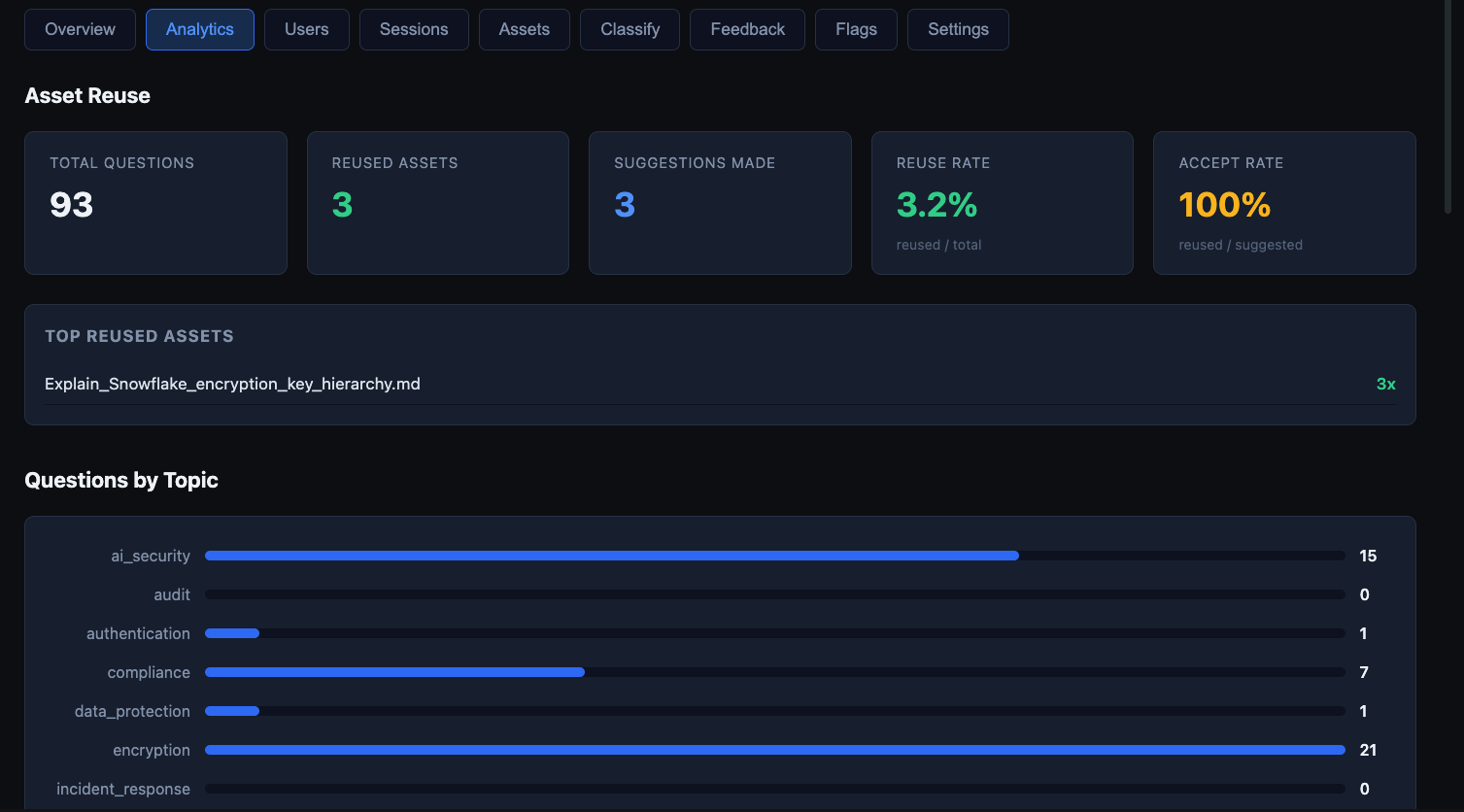
- Asset reuse rates — which knowledge content gets referenced most
- Topic distribution — how questions break down across configured domains
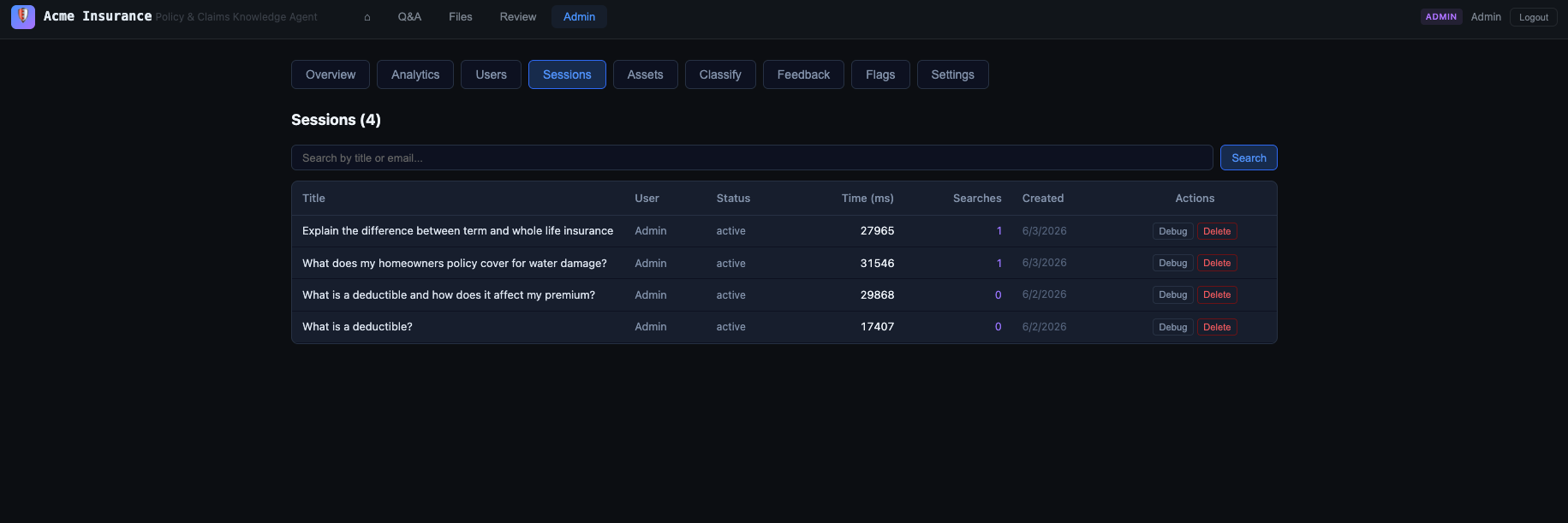
- Response times — percentiles per session, with web search vs. pure-retrieval breakdown
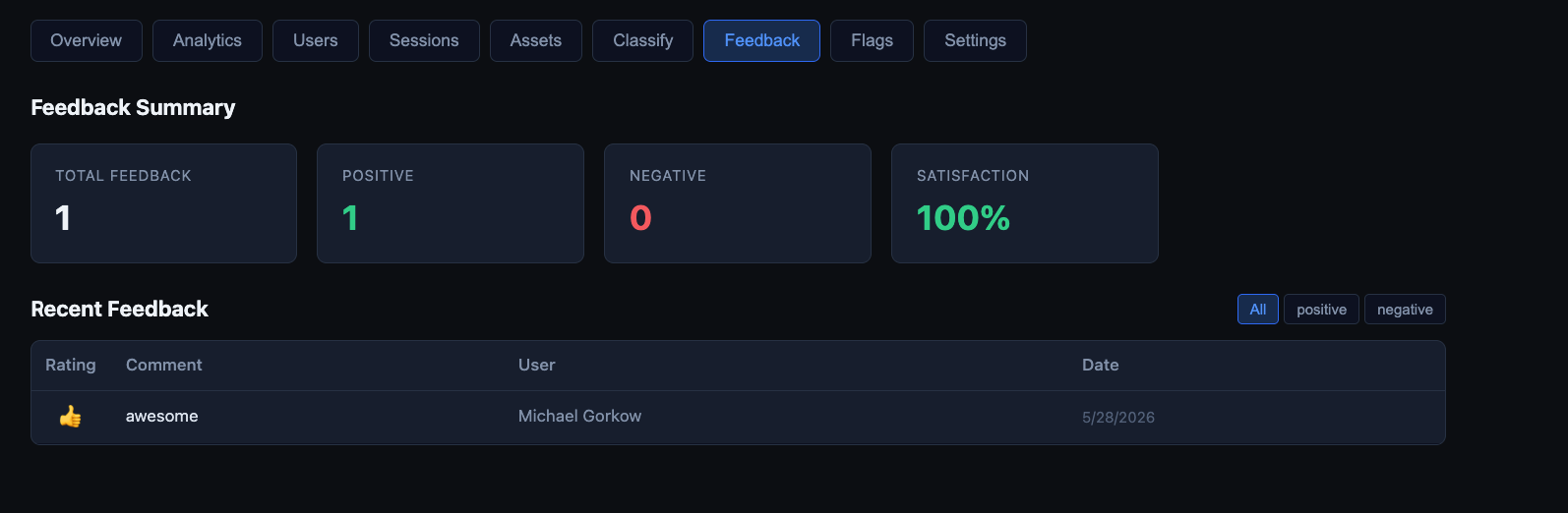
- User feedback — satisfaction metrics, per-session ratings
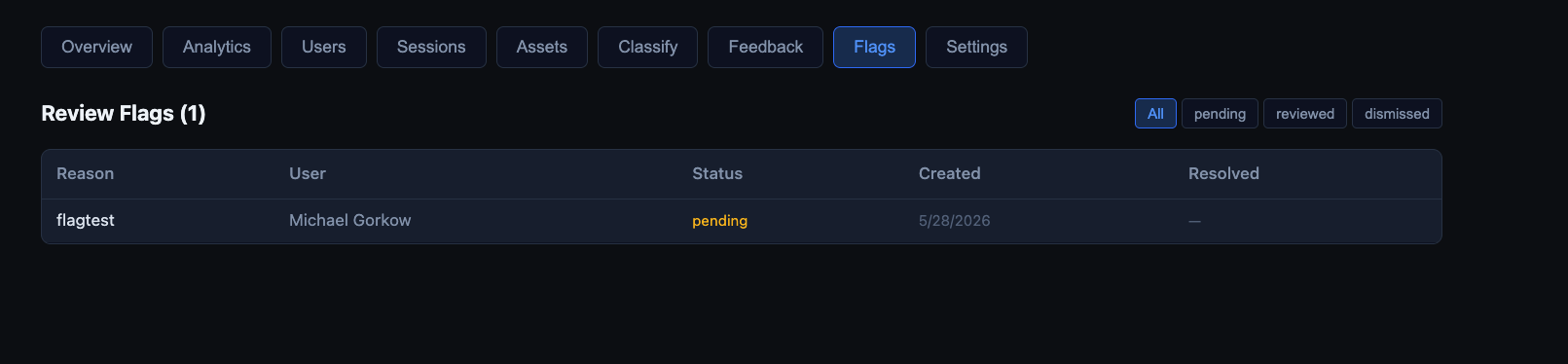
- Review flags — flagged responses surface in a dedicated review queue
High reuse rates on certain knowledge entries point to content worth investing in further. Response time outliers surface bottlenecks in the tool execution loop.
The Skill System#
Skills are behavioral instructions — they shape how the agent thinks, separate from what it knows. The auto-discovery mechanism is simple:
skills/
├── knowledge-agent.md     ← Insurance agent behavior (mandatory)
├── sql-author.md          ← SQL generation patterns
├── investigation.md       ← Security research workflows
└── interactive.md         ← Low-latency query patterns
Skills can be mandatory (always injected), keyword-triggered (injected when query terms match), or user-selected (activated via the admin UI). The system prompt is assembled dynamically at query time: base prompt + mandatory skills + triggered skills + retrieved knowledge entries. Separating behavioral instructions from domain facts, and triggering each selectively, keeps the context window efficient and the agent’s behavior predictable.
Self-Correction at the Application Layer#
Nanocortex Web Agent surfaces the reflection pattern from the CLI as a proper application feature:
[agent]
reflect = true
thinking_effort = "medium"
After the primary response, the agent sends itself a structured review prompt. If it finds issues — a retrieval that missed a relevant policy, an incomplete claims workflow, a factual inconsistency — it corrects before delivering to the user. The reflection pass is visible in the session debug view in the admin dashboard.
With thinking mode enabled, administrators can watch the model reason through the reflection pass in real time, see which concerns it raises, and verify it is catching the right class of errors.
What to Build Next#
Several patterns are natural starting points for extending the architecture:
- Clarification wizards — the agent asks structured questions with clickable options before proceeding, reducing ambiguous queries
- Per-project memory — the zettelkasten-memory plugin gives each project its own evolving knowledge graph, separate from the global domain knowledge
- Custom topics — the admin UI lets you define your own topic taxonomy, feeding the analytics breakdown and the retrieval routing
Alternative LLM providers (OpenAI, Anthropic, Ollama) are included as experimental paths for local development, with the provider abstraction open for extension.
Getting Started#
Snowflake-native path (recommended):
[snowflake]
account = "YOUR_ORG-YOUR_ACCOUNT"
user = "your.email@company.com"
pat = "your-programmatic-access-token"
warehouse = "COMPUTE_WH"

[database]
backend = "snowflake"

[agent]
provider = "cortex"
model = "claude-sonnet-4-6"

[embeddings]
provider = "snowflake"
model = "snowflake-arctic-embed-l-v2.0"
dimensions = 1024
Local path:
./dev.sh # Installs postgres, creates DB, starts everythingOpen the UI, log in as admin@acme-insurance.demo / admin123, and start with the sample questions. The full application — chat, knowledge graph, workspace, admin dashboard, analytics — is live immediately.
Nanocortex Web Agent is open source: github.com/sfc-gh-kkeller/nanocortex-web-agent
The CLI foundation it builds on: github.com/sfc-gh-kkeller/nanocortex
